 Carrier Lookup Smart
Carrier research, done in bulk , not in browser tabs.
A private Windows application that pulls live DOT and FMCSA data, screens carriers against your own rules, and exports the results — instead of you copying fields between five government websites and a spreadsheet.
Open one detailed record
Search by DOT, MC, phone, email, officer, or company name and get identity, authority, insurance, fleet, drivers, inspections, VINs, and related companies in one card.
Screen thousands in one run
Feed it a DOT/MC range, a pasted list, or a file. It de-duplicates, batches requests, filters against your saved rules, and writes a checkpointed CSV as it goes.
How it runs, start to finish
- Start the executable — no installer, no admin rights, opens automatically in your browser.
- Add optional API keys to the local .env file for more reliable bulk requests.
- Search a carrier, or open the dashboard for a bulk run.
- Provide identifiers — a range, pasted list, or uploaded file — and set your qualification rules.
- Run it and watch progress live , then review what was accepted and rejected.
- Open your CSV, HTML, or PDF report from the local output folder.
Requirements
Every field and export the product ships with
Documented in the product README — nothing here is a roadmap promise.
RESEARCH
BULK EXTRACTION
RULES & OUTPUT
Why this exists
Screening carriers usually means bouncing between Safer, FMCSA, and insurance lookups, pasting fields into a sheet by hand, and applying the same judgment calls to every record — slow, inconsistent, and hard to audit once volume grows.
- Investigate one carrier from a DOT, MC, phone, email, officer, or company name
- Screen a range or a list of carriers, not one at a time
- Apply the same qualification rules to every record automatically
- Keep usable reports and session history for follow-up
Live, not stale
Every lookup runs against current DOT and FMCSA filings — never an offline snapshot.
Your rules, every time
Save qualification rules once, and every record is screened against them the same way.
Audit-ready exports
CSV, HTML, and PDF reports, plus session history, so your work stays reviewable.
Runs on your machine
The local server binds to 127.0.0.1 — nothing routes through the owner's infrastructure.
One payment. Yours for life.
Carrier Lookup Smart — named-user licence
ONE-TIME PURCHASE- Pay once — no subscription, no renewal, no monthly fee
- Licensed for your continued internal business use, for as long as you use it
- Delivered as a password-protected ZIP: the executable, README, and licence file
- Licensed to a named user for internal business use — not for resale, sharing, or sublicensing
- One backup copy permitted for your own safekeeping
See it run
A full walkthrough of single-carrier research and a bulk extraction run, start to finish.
See the workflow in action
Explore the screens that make carrier research, bulk extraction, and report review easier to manage.
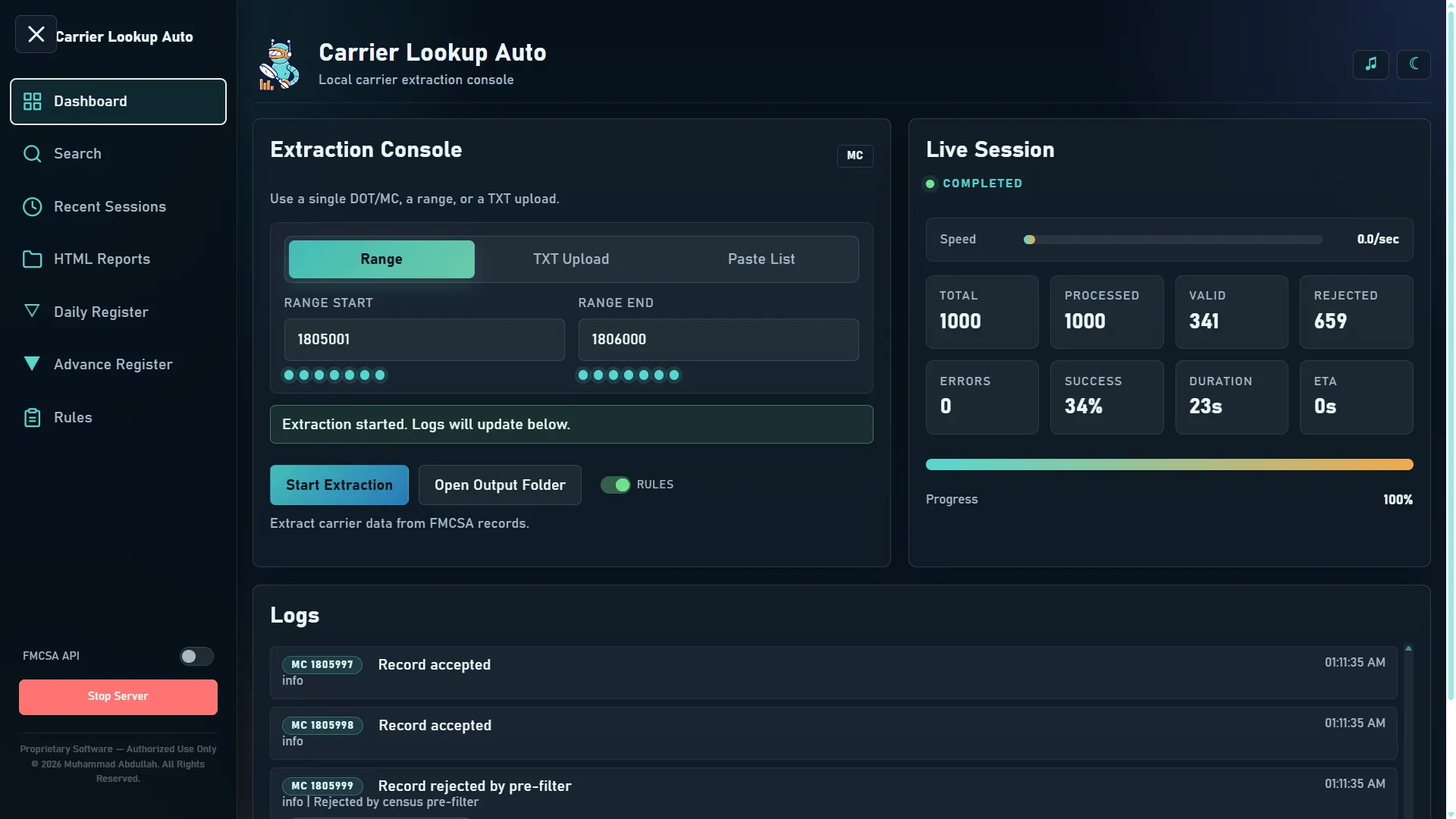
Dashboard
The live extraction console with session counters, progress tracking, and quick actions for a bulk run.
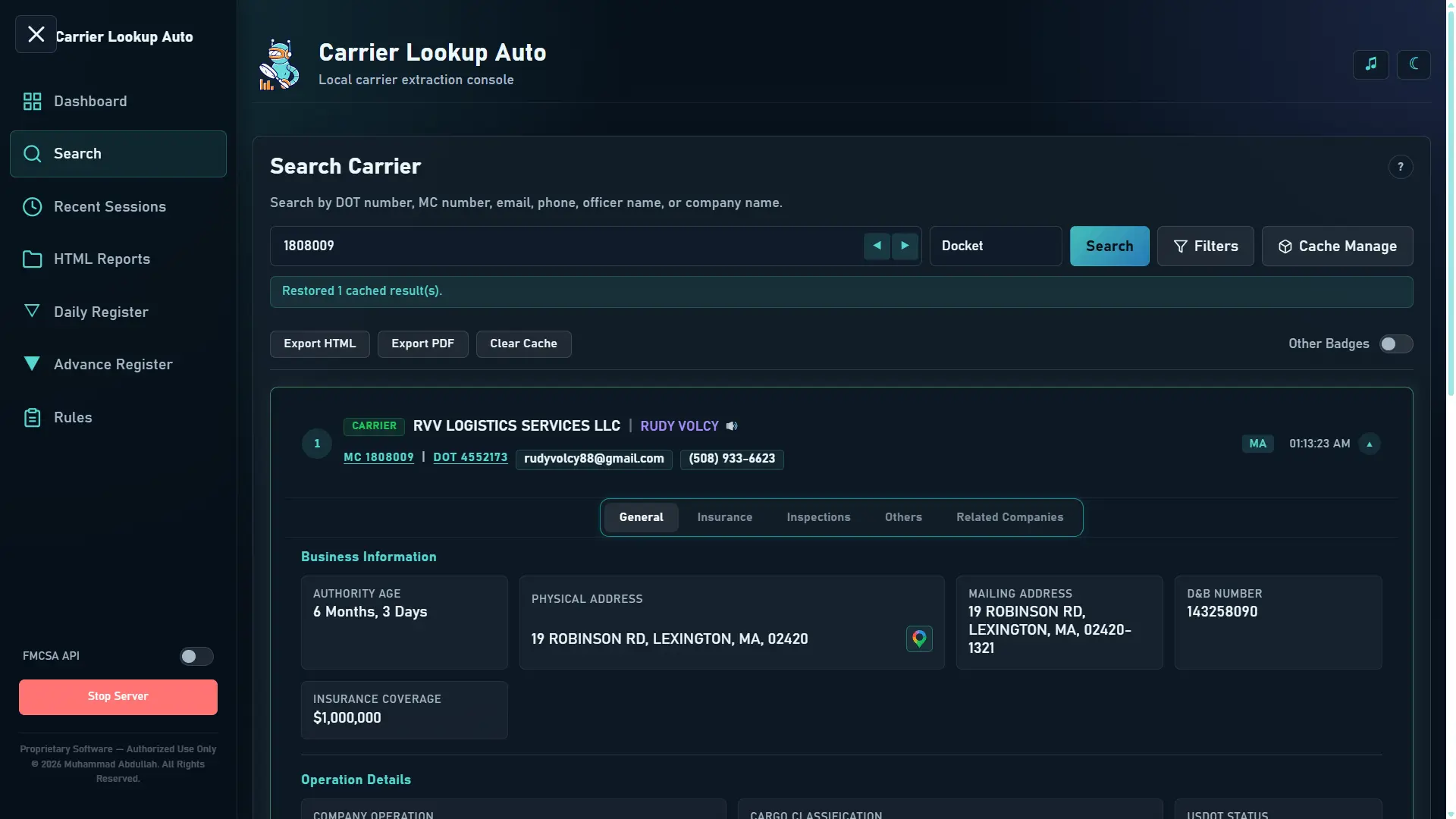
Search
Look up a carrier by DOT, docket, email, phone, officer name, or company name.
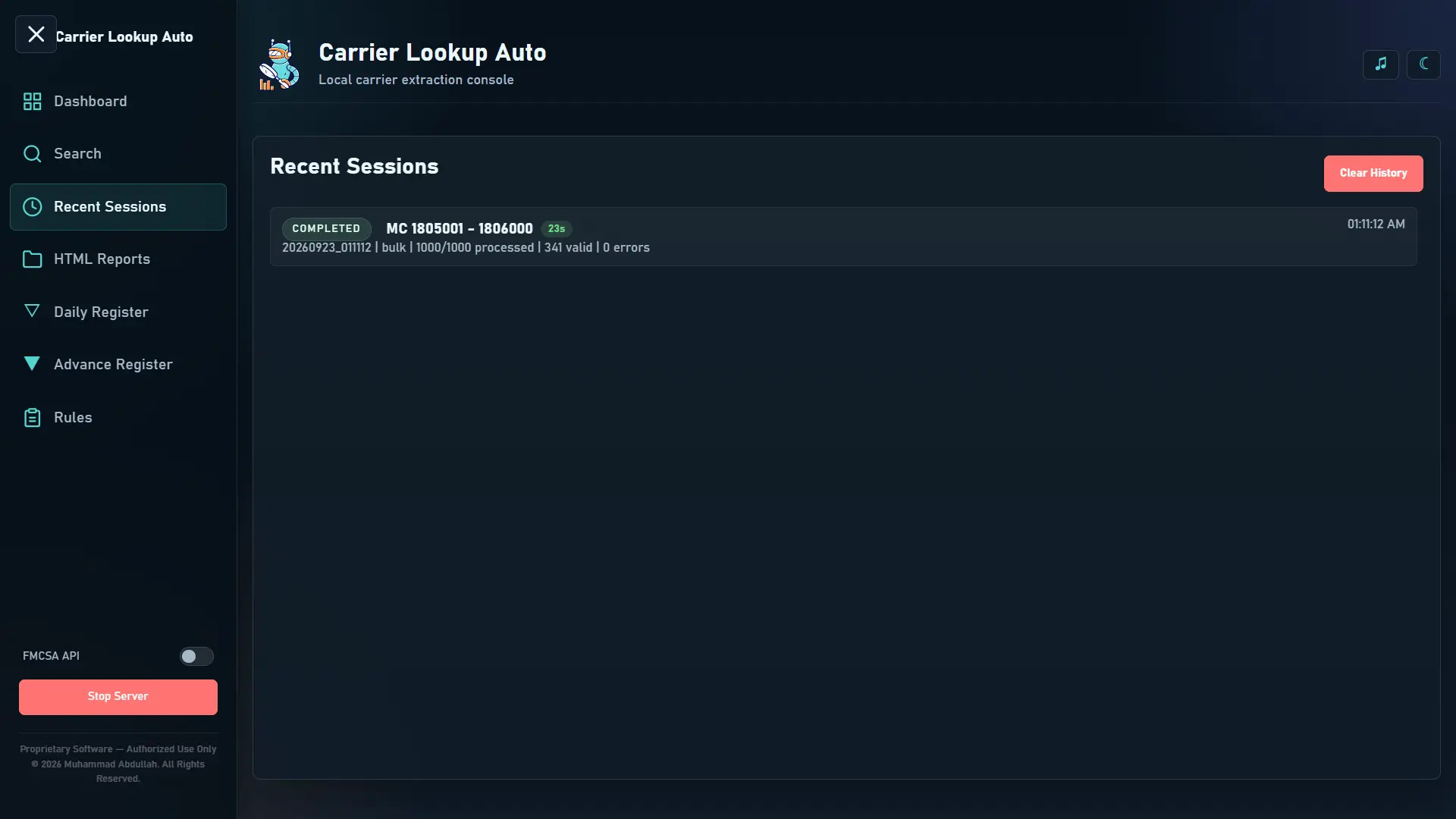
Recent Sessions
Review the status, timing, and completion details of prior extraction jobs.
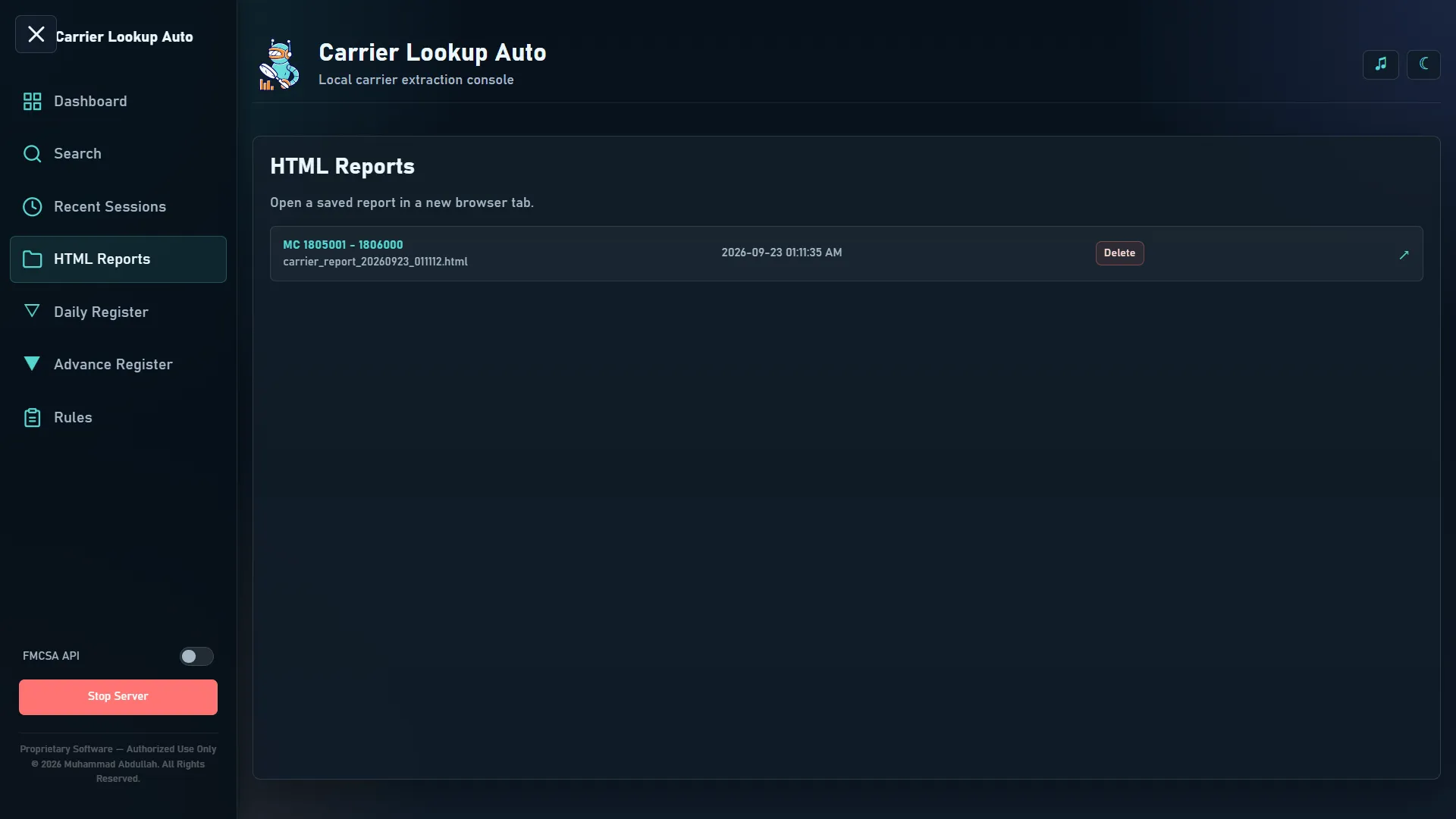
HTML Reports
Access, review, and delete exported reports from one place.
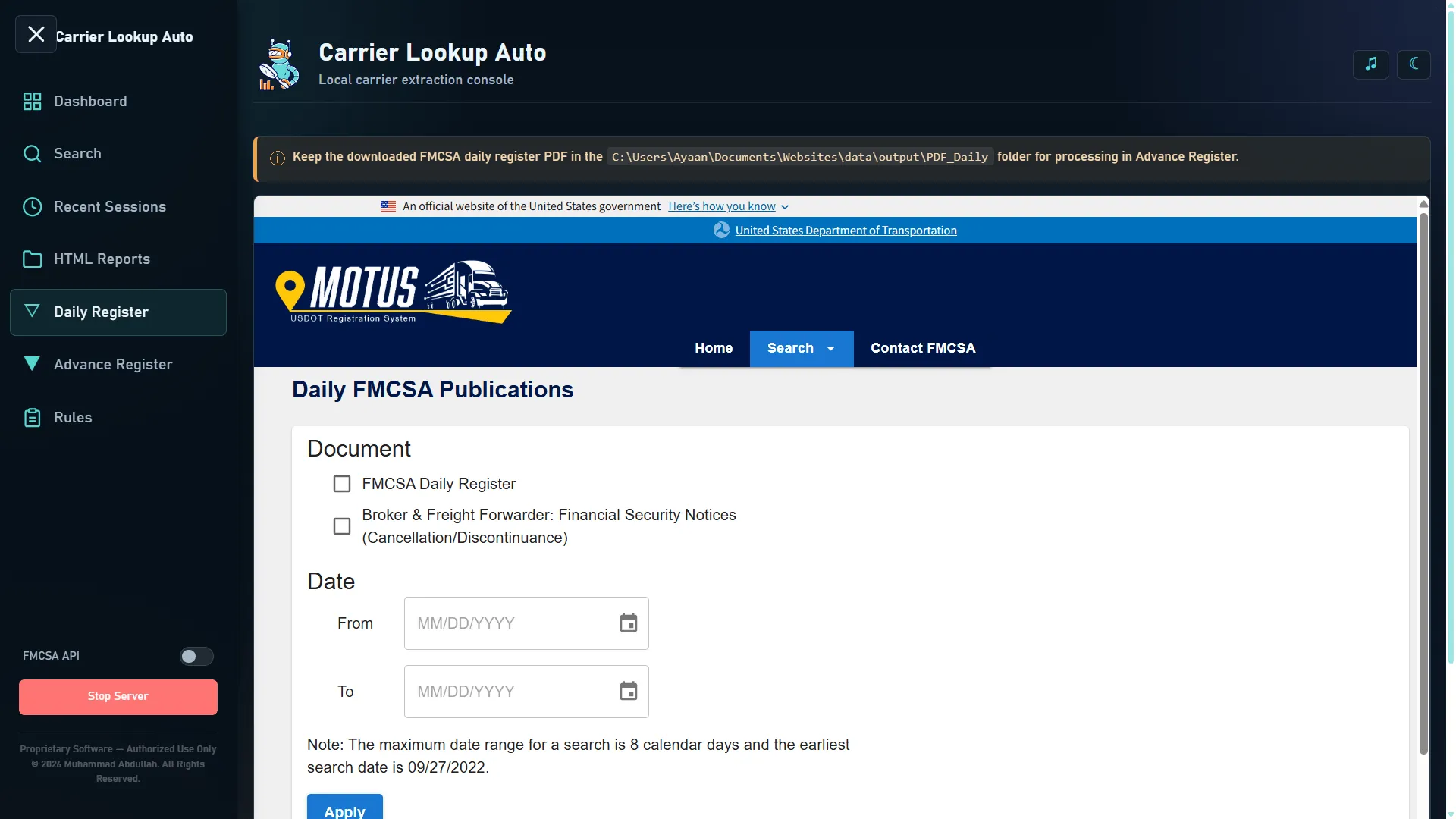
Daily Register
Review and process uploaded carrier PDFs from the daily FMCSA publication workflow.
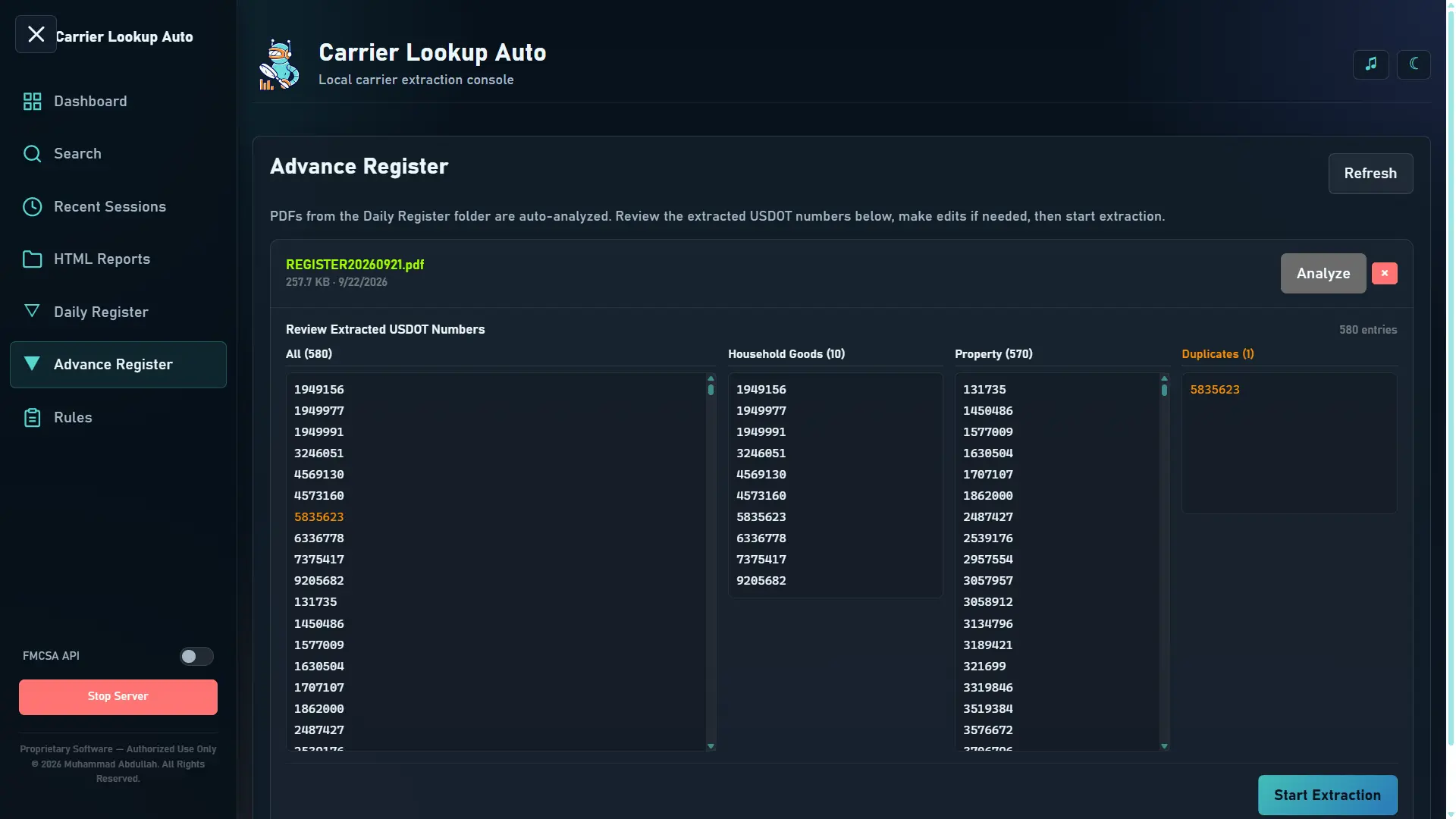
Advance Register
Extract USDOT numbers from PDFs and organize them for review, update, or cleanup.
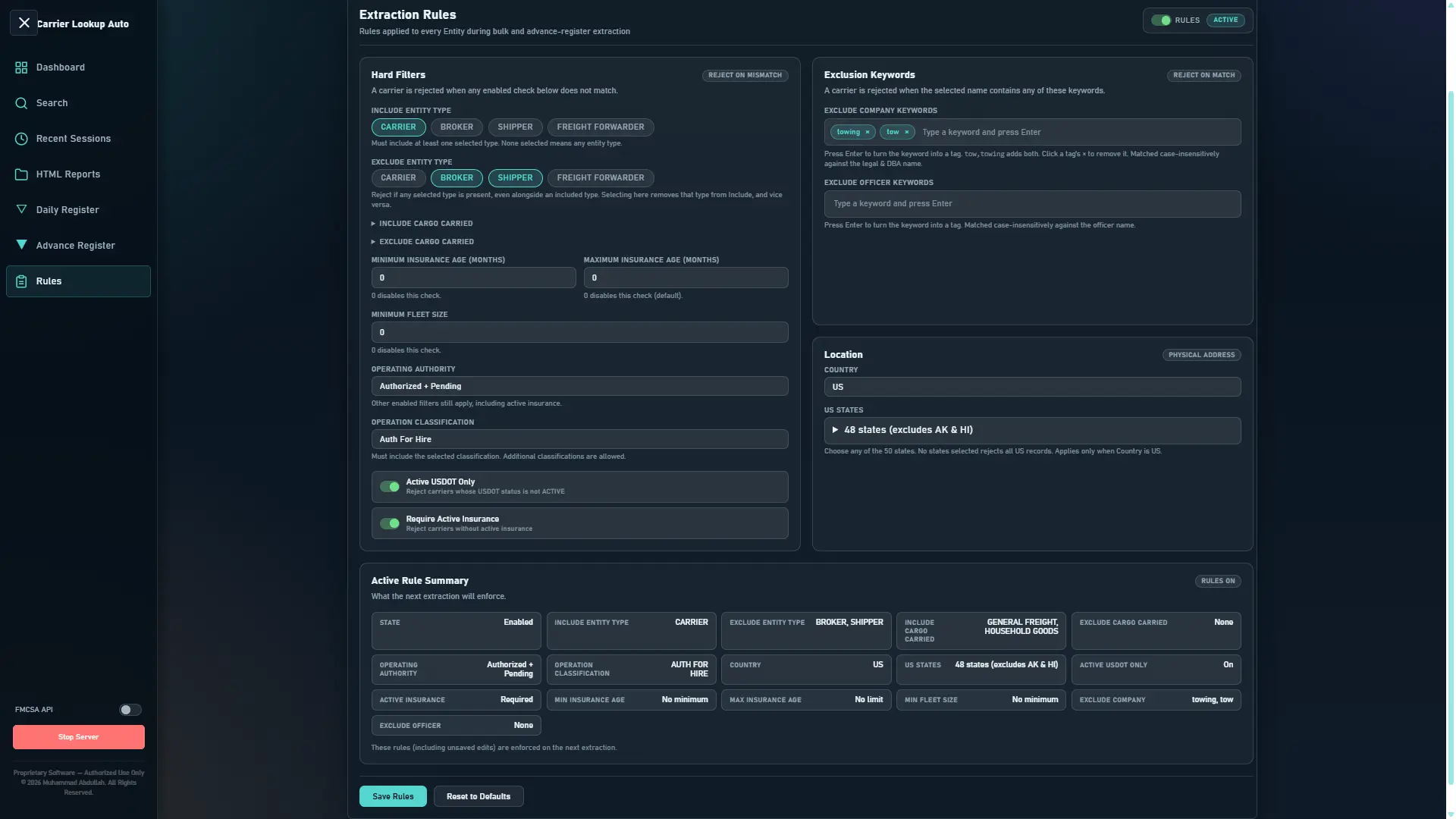
Rules
Define the qualification logic used to accept or reject carriers during extraction.
Contact
Access is arranged directly — there's no self-serve checkout.
FAQs
Does it come with its own carrier database?
No. It retrieves carrier data live from public data services — primarily US DOT Socrata datasets and, when enabled, the FMCSA QCMobile API. NHTSA vPIC is used separately for VIN decoding. Nothing is scraped from Safer, Fleetfax, BrokerSnapshot, or Motus — those are just outbound reference links.
Do I need Python or admin rights?
No to both. The portable executable is self-contained with its dependencies included, and it runs without administrator privileges.
Are API keys required?
No. A Socrata app token is optional but recommended for bulk work, and an FMCSA web key is optional and only needed if you switch on the FMCSA overlay.
Can I share or resell my licence?
No. It's proprietary software licensed to named recipients for internal business use — giving, selling, renting, or sublicensing it to someone else isn't permitted without written permission from the owner.
Does the app send my data anywhere?
No. It runs locally and talks directly to the public data services listed above. The local server binds to 127.0.0.1 by default, so it's only reachable from your own computer.
What if a government data source is slow or down?
Public sources occasionally throttle, change schema, or go offline. Where that happens it's recorded in source errors — the app can't guarantee upstream availability, completeness, or freshness.
Is this affiliated with FMCSA, US DOT, or NHTSA?
No. Carrier Lookup Smart is an independent product, not affiliated with, endorsed by, or connected to FMCSA, the US Department of Transportation, or NHTSA, and it's independent of Motus, Safer, Fleetfax, and BrokerSnapshot.
How do I get access after purchase?
Email abdullahtemp4@gmail.com to arrange pricing and payment. You'll receive a password-protected ZIP containing the executable, README, and licence file through an authorized delivery channel.
Disclaimer
Carrier Lookup Smart presents information obtained from third-party public data services and publicly available government datasets. That information may be incomplete, outdated, temporarily unavailable, or missing from the underlying source, and its accuracy is controlled by those sources, not by this product.
Carrier Lookup Smart is a research and screening aid. It does not replace official FMCSA records, and it does not replace your own regulatory, safety, compliance, or underwriting procedures.
Carrier Lookup Smart is an independent product and is not affiliated with, endorsed by, sponsored by, or connected to FMCSA, the US Department of Transportation, or NHTSA. It is also independent of Motus, Safer, Fleetfax, and BrokerSnapshot. Third-party names and services remain the property of their respective owners.
You are responsible for complying with the terms of the underlying data services and applicable laws governing your use of the information, including rules applicable to communications with carriers and other business activities.
Privacy Policy
THIS WEBSITE
This page doesn't run analytics, tracking scripts, or cookies, and it has no sign-up or checkout form. The only interactive element is a mailto link, which opens your own email client — nothing you type there passes through this site.
THE APPLICATION
Carrier Lookup Smart runs locally on your computer and communicates directly with the documented public data services. By default its local server binds to
127.0.0.1
, meaning it's reachable only from the same machine — it is not exposed to your network or the internet, and it does not require or use a server operated by the owner.
-
Optional API keys are stored in a local
.envfile beside the executable, and should be treated as confidential -
Generated reports, session history, and caches are stored locally under the application's own
data/andlogs/folders - Carrier-detail results may be cached locally for up to five days; search history is retained for 24 hours
-
Files that may contain API keys or your extracted work —
.env, reports, logs, the session database — should be removed or redacted before sharing screenshots or support material
THIRD-PARTY DATA SOURCES
Lookups are sent to US DOT Socrata datasets, and, when enabled, the FMCSA QCMobile API and NHTSA vPIC. Your use of those services is subject to their own respective terms and privacy practices, which are outside this product's control.
Effective September 22, 2026.
Terms & Conditions
Use of Carrier Lookup Smart is governed by the
License.txt
EULA supplied inside the authorized distribution package. The points below summarize its key terms — the EULA itself controls in the event of any difference.
PERMITTED USE
- Internal business use by the named licensee the software was issued to
- One backup copy of the installation folder, kept for your own safekeeping
-
Moving the application to another computer you own, provided use stays within the licence terms — without carrying over
.env, and with generated reports/logs/session data removed if not meant to move with it
NOT PERMITTED
- Giving, selling, renting, lending, sublicensing, or otherwise transferring the software to another person without the owner's written permission
- Distributing, publishing, uploading, or otherwise sharing the source code
- Reverse engineering, decompiling, or disassembling the software, except where applicable law doesn't allow this restriction
- Using the software to provide carrier-lookup services to other people without the owner's prior written permission
YOUR RESPONSIBILITY
You're responsible for complying with the terms of the underlying public data services and all applicable laws governing your use of the information you retrieve, including rules that apply to communications with carriers and other business activities.
TERMINATION
The licence may be terminated by the owner if its terms are breached. On termination, you must stop using the software and destroy copies in your possession, subject to applicable law.
License & Ownership
Carrier Lookup Smart is proprietary software, owned and published by
Muhammad Abdullah
. The software is licensed, not sold. Authorized use is governed by the
License.txt
file supplied with the distribution package, which controls the licensee's rights and obligations for the software and its generated output.
REPOSITORY DOCUMENTATION LICENSE
The public repository contains documentation, product images, and a tutorial reference only — the executable itself is not published there. Materials in that repository may be viewed and privately evaluated to understand the product and consider a licence, but may not be copied, modified, redistributed, republished, sold, sublicensed, or turned into derivative works — of the software, documentation, images, or video — without the owner's prior written permission, except where applicable law requires otherwise.
DISTRIBUTION
Authorized purchasers receive a separate, password-protected ZIP containing the portable executable, a README, and the licence file. The password is provided only through the owner's authorized delivery channel, arranged by email.
NOT AFFILIATED
Carrier Lookup Smart is not affiliated with, endorsed by, sponsored by, or connected to FMCSA, the US Department of Transportation, NHTSA, Motus, Safer, Fleetfax, or BrokerSnapshot. Third-party names and services remain the property of their respective owners.
CONTACT FOR LICENSING
For access, additional user licences, licence transfers, or a commercial discussion, contact abdullahtemp4@gmail.com .